Built for teams that need people ready to perform

Complex systems.
Clearer performance.

Your employees shouldn't have to figure out a new process from a static PDF. We design practical, interactive training that helps people understand a workflow, practice it, and use it on the job.

Scenario-based learning Human-reviewed content Accessibility considered from the start
Business team meeting in a conference room with one person leading the discussion at a whiteboard
Collaborative strategy session
Made for real operational challenges
Software rollouts
Employee onboarding
Process changes
Training accessibility
THE PROBLEM WE SOLVE

A training manual isn't the same as a trained employee.

When systems change, your teams need more than a document to read. They need to recognize the correct steps, practice key decisions, and find help at the moment they need it.

01
Training that stops at explanationWe design exercises where learners perform realistic tasks, not just click through slides.
02
Procedures that are difficult to useWe break down complex SOPs into usable steps, practice activities, and job aids.
03
Launches without a way to check readinessWe plan assessments and review points so your team can see where additional support may be needed.
OUR SOLUTION AREAS

Five ways to make complex work easier to learn.

Start with the challenge you're facing. Each solution can begin as a focused pilot or custom engagement designed around your workflows, systems and users.

01 / 05

Interactive Job Aid Builder

Go beyond step-by-step documents. Help employees follow visual cues and practice the tasks they perform at work.

For L&D and operations teams
What an engagement can include
  • Screenshot-based walkthroughs
  • Guided actions and practice steps
  • Knowledge checks and job aid links
  • Custom branding and review cycles
See product details ↗
02 / 05

Software Simulation Builder

Give employees a safe way to rehearse a software workflow before they perform it in a live system.

For implementation and training leads
What an engagement can include
  • Show Me walkthroughs
  • Follow Me guided exercises
  • Let Me Try independent practice
  • Feedback, validation and learning checks
See product details ↗
03 / 05

SOP-to-Training Design

Use AI-assisted drafting and instructional-design review to turn approved procedures into clearer learning experiences.

For compliance and process owners
What an engagement can include
  • Procedure and audience analysis
  • Draft learning objectives and lessons
  • Human validation of all AI-assisted output
  • Assessment and job aid development
See product details ↗
04 / 05

Accessibility Audit & Remediation Planning

Help your team identify barriers, document issues and organize fixes using established accessibility standards.

For accessibility and compliance leads
What an engagement can include
  • Automated and manual review planning
  • Issue tracking and prioritization
  • WCAG and Section 508 considerations
  • Remediation documentation and retesting scope
05 / 05

AI Workforce Readiness

Find out what employees need to learn, plan responsible AI adoption training, and assess practical skills.

For HR and transformation teams
What an engagement can include
  • Audience and skills assessment
  • Role-based learning paths
  • Responsible-use scenarios
  • Progress measures and improvement planning
See product details ↗
FOR TRAINING FIRMS AND IMPLEMENTATION PARTNERS

Need a specialist for hands-on software training?

Discuss a scoped subcontracting or co-delivery pilot for guided job aids, interactive simulations, and end-user practice. Built around approved client content and review requirements.

Explore a partner pilot ↗
DEMONSTRATE THE VALUE BEFORE THE SALES CALL

Take the guided tour. See where each solution fits.

Explore five narrated product walkthroughs in one approximately 15-minute presentation. Watch a simulated cursor illustrate each workflow, read synchronized narration captions, and jump to the solution most relevant to your business.

Interactive Job Aid BuilderILLUSTRATIVE SCREEN WALKTHROUGH
DS / LEARNINGOPS AI — INTERACTIVE DEMO
LEARNING PATH
  • Find the task
  • Follow the steps
  • Check the result
01 / 08 · Concept demonstration

Spot the friction

Choose a high-frequency task

A recurring employee requestIllustrative interaction highlight
Current support questionsSelect for related workflow
Target workflowSelect for related workflow
DESIGN NOTEFocus: Choose a high-frequency task. Demo content is illustrative; scope and outcomes are agreed with each client.
Chapter 1 of 5

Spot the friction

From static instructions to on-the-job guidance.

Voice-over script / captionsEvery organization has a few workflows that trigger the same questions repeatedly. An employee may know where to find a PDF but still hesitate at the moment of action. We begin by identifying one real task, the points where people become confused, and what correct performance would look like. The point is to solve a concrete problem, not produce another document.
Step 1 of 81 / 40 scenes
Choose a chapter or click Start to hear the guided demonstration.

Illustrative interface and fictional workflow. Narration is a studio-quality AI voiceover recorded for this tour; the speed control adjusts playback. Timing varies by device and playback speed.

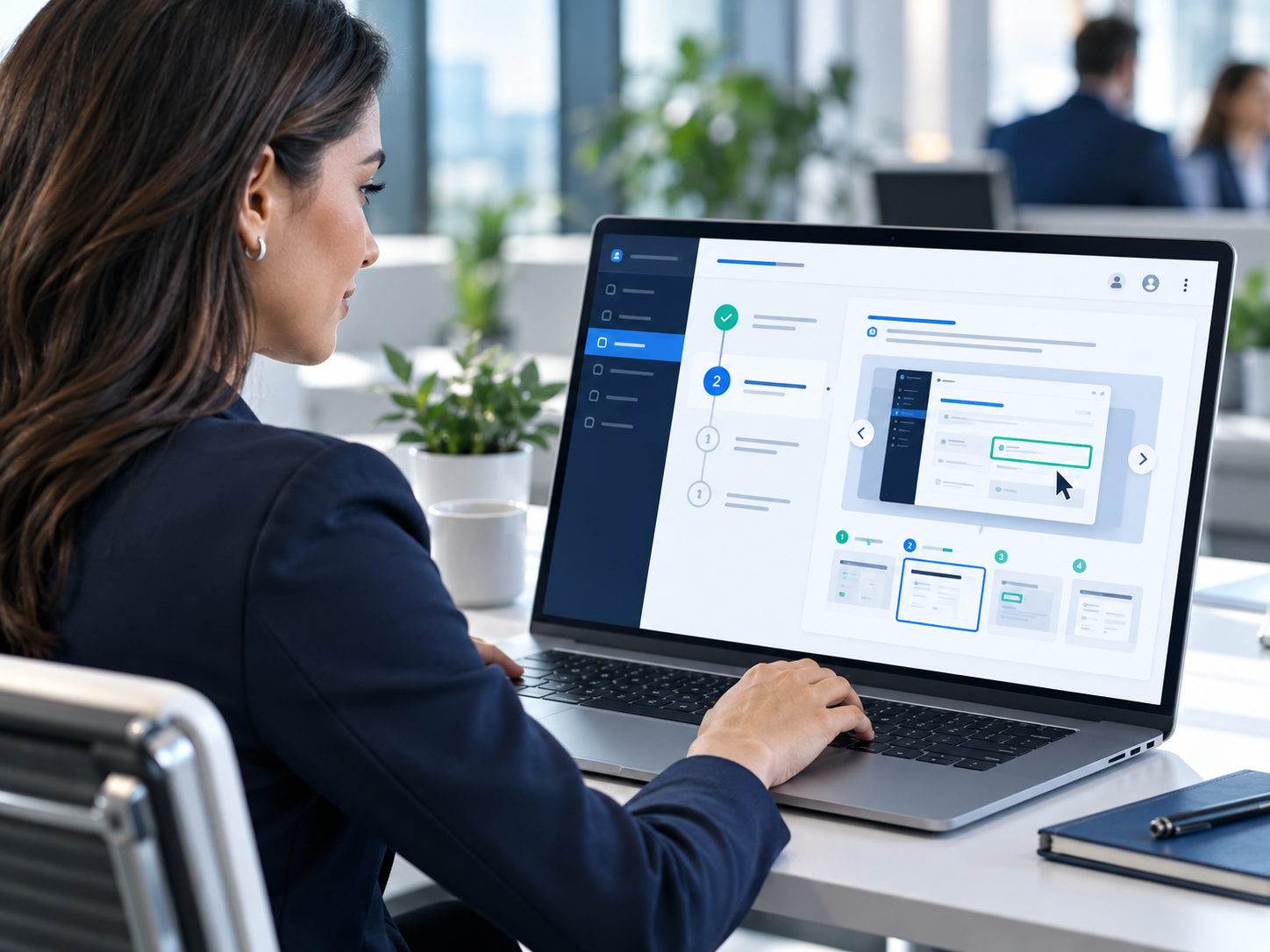
Professional using an interactive step-by-step job aid on a laptop
Best forHigh-frequency tasks that still generate confusion or repeat support questionsEspecially effective for onboarding, shared-service workflows, and recurring business processes.
01 / Interactive Job Aid Builder

Give employees support they can actually use while they work.

Replace static PDFs and hard-to-follow instructions with guided, visual job aids that help employees understand the task, follow the right steps, and return to the tool later as performance support.

  • Ideal for onboarding, transaction-based tasks, service-center teams, and process-heavy workflows.
  • Designed to reduce repeated "how do I do this?" questions and speed up task completion confidence.
  • Works well as a focused pilot or as part of a broader training rollout.

What the client gets

Step-by-step guided screens, job-aid structure, practice cues, links to support resources, and review-ready branded deliverables.

Why buyers care

It helps teams move from explanation to execution, reducing friction for employees and managers alike.

Faster task confidenceReusable performance supportLower support burdenBetter learner clarity
Scope a pilot →
02 / Software Simulation Builder

Help people practice in a safe environment before the real work begins.

When a new system launches, employees need more than a demo. They need the chance to watch, follow along, and then try the task independently. This solution creates realistic practice experiences that strengthen adoption and reduce launch-day anxiety.

  • Useful for HR, finance, travel, CRM, ERP, and other workflow-driven systems.
  • Supports "Show Me," "Follow Me," and "Let Me Try" learning approaches.
  • Works especially well when software changes are large, visible, or time-sensitive.

What the client gets

Simulated practice experiences, structured feedback points, learner progression, and a reusable training asset for future hires.

Why buyers care

It improves software adoption and helps employees make fewer first-use mistakes in live systems.

Stronger software adoptionSafer practiceHigher launch readinessMore confident end users
Watch the narrated demo →
Business team reviewing a software simulation training dashboard
Best forOrganizations rolling out new systems or updating important workflowsUseful when employees must learn by doing, not just by watching.
Business team converting process documents into digital training materials
Best forTeams with strong procedures but weak learner-facing training materialsTransforms approved content into a more usable learning experience.
03 / SOP-to-Training Design

Turn approved procedures into training that people can understand and use.

Many organizations already have good process documents. The problem is that documents alone do not train people. This solution helps turn procedures, policies, and workflows into clearer learning experiences using AI-assisted drafting combined with human instructional-design review.

  • Best for operations teams, compliance programs, and organizations with content that is accurate but difficult to learn from.
  • Can support microlearning, instructor-led support materials, simulations, and assessments.
  • Built to respect review cycles, approvals, and content governance.

What the client gets

Learning objectives, structured content design, drafted modules, assessments, job aids, and a clearer instructional framework.

Why buyers care

It shortens the distance between "we documented it" and "our people can actually do it."

Faster content productionClearer learner designHuman-reviewed outputsStronger process transfer
Request a workflow review →
04 / Accessibility Audit & Remediation Planning

Make digital learning more usable, more inclusive, and easier to improve.

Accessibility cannot be an afterthought. This solution helps teams identify barriers, organize issues, and create a realistic remediation plan so learning content and digital experiences are more usable for more people.

  • Useful for training departments, public-facing organizations, government contractors, and compliance-minded teams.
  • Supports issue identification, prioritization, tracking, and remediation planning.
  • Designed to complement manual review, testing tools, and documented follow-up actions.

What the client gets

Review findings, issue categories, remediation planning guidance, tracking structure, and support for clearer prioritization.

Why buyers care

It helps teams move from vague accessibility concern to an organized improvement plan.

Better accessibility visibilityClearer remediation prioritiesMore inclusive learningStronger compliance preparation
Read common questions →
Team reviewing an accessibility audit dashboard in a meeting
Best forOrganizations that need a structured path from issue discovery to actionEspecially valuable when digital learning must serve broad audiences.
Business leaders reviewing an AI workforce readiness dashboard
Best forOrganizations preparing employees for practical, responsible AI adoptionHelps leaders understand readiness, skill gaps, and learning priorities.
05 / AI Workforce Readiness

Prepare your workforce to use AI with purpose, skill, and accountability.

AI transformation is not just a technology conversation. It is a workforce readiness challenge. This solution helps organizations evaluate current capability, identify learning needs, and design role-based readiness plans that support responsible AI adoption.

  • Strong fit for HR leaders, transformation teams, and business units exploring AI-enabled work.
  • Supports role-based learning plans, readiness mapping, and responsible-use learning strategies.
  • Useful as a starting point for broader digital-transformation training.

What the client gets

Readiness framing, audience segmentation, learning-path recommendations, and a practical structure for AI capability development.

Why buyers care

It helps leadership move from AI interest to a more credible workforce learning plan.

Readiness visibilityRole-based learning pathsResponsible AI supportStronger transformation planning
Start a discovery conversation →
TRY THE DIFFERENCE

Don't just read about interactive training. Try it.

This working sample uses a fictional employee equipment-request workflow. Explore the three learning modes and experience how guidance changes as confidence grows.

WORKING SAMPLE EXPERIENCE

One task.
Three ways to learn.

Choose a mode to see how employees progress from watching to independent practice.

Select Hardware to begin the guided workflow.

Sample task: New equipment requestFOLLOW ME MODE
Complete the request detailsStep 1 of 4
Request category
Priority level
Goal: Request a laptop for a new employee. Start by choosing the Hardware category.
✓ Practice complete. The example workflow is finished. You can reset it or try another learning mode.
Select the highlighted field to begin.

This is an original, fictional simulation. It is not connected to any employer, government system, database or actual employee requests.

WHO WE HELP

Your challenges. A plan that fits.

Select the role that sounds most like yours to see what an engagement might focus on.

YOUR PRIORITY

Get employees ready without building everything from scratch.

You need training that is clear, repeatable and useful beyond the first day of a launch.

  • Create guided practice for critical workflows.
  • Reuse modules as reference tools after training.
  • Review learner progress with meaningful checks.
HOW AN ENGAGEMENT WORKS

A practical process, not a mystery platform.

We start with the job your people need to do, define how success will be assessed and build only what's valuable.

01 / DISCOVER

Understand the workflow

Review the audience, process, current materials, tools and performance problem.

02 / DESIGN

Prototype the experience

Agree on objectives, interaction style, sample screens and how to measure learning.

03 / VALIDATE

Test with real users

Check content accuracy, usability, accessibility needs and operational fit.

04 / DELIVER

Launch and improve

Package deliverables for the agreed environment and identify follow-up support.

INTERACTIVE PLANNING TOOL

What is repetitive confusion costing your team?

Use your own assumptions to estimate the value of time that might be recovered if a redesigned workflow reduces repeated assistance or rework.

Illustrative annual time value
$12,960
Calculated using the assumptions you entered—not a promised product outcome.
Potential hours per year288
Minutes recovered per month1,440

Illustrative scenario only. Assumes every specified repetition produces the entered time reduction for 12 months. Does not account for training costs, implementation effort, adoption, overlapping tasks, or real-world variation. Validate with a measured pilot before using in a business case.

HOW TO GET STARTED

Start with one real problem. Scale after it works.

Flexible service and pilot engagements. Specific deliverables, schedules and fees are established in a written proposal.

OPTION 01

Discovery conversation

No charge

A focused conversation to determine whether we're a fit and what problem deserves attention first.

  • Identify training or workflow pain points
  • Discuss target users and constraints
  • Outline a sensible next step
OPTION 03

Team / enterprise build

Custom quote

For multiple workflows, integrations, specialized testing, deployment needs or ongoing content support.

  • Workflow and course inventory
  • Custom interactions and branding
  • Testing and delivery planning
  • Support and licensing terms as scoped

Pricing is illustrative, not a published fixed-fee product catalog. Complexity, system access, accessibility requirements, hosting and integrations can change final scope and cost.

ABOUT DIGITAL STATIC

Learning experience design with practical delivery at its core.

Digital Static LLC is led by Ron Scott, a creative technologist and instructional design professional whose public portfolio includes work across healthcare, government, enterprise learning and multimedia production.

LearningOps AI is a proposed solutions brand for combining interactive training, software simulations and responsibly used AI-assisted development into practical client projects. Every engagement should be grounded in reviewed source material and an agreed scope.

View professional portfolio
A DIFFERENT WAY TO APPROACH TRAINING
Don't just explain the work. Give people a way to practice it.
Digital Static LearningOps AI · Guiding principle
STRAIGHT ANSWERS

Questions your team should ask before buying.

No inflated results, invented customer claims or vague AI promises. Here is how a potential engagement would work.

Are these five finished subscription apps?

No. They are proposed solution areas and custom/pilot engagements. The interactive sample on this page is functional, but it does not represent a deployed enterprise product. A production platform, any integration and ongoing service agreement would be scoped separately.

Can the training work with our existing LMS?

Possibly, depending on your LMS, publishing specifications and project scope. SCORM/xAPI output, user tracking and system integrations must be confirmed during discovery and tested in the client's target environment. They are not features of this standalone demo.

Do you use our private documents to train an AI model?

No such use is implied or authorized by contacting us. Before using client materials in any AI-assisted workflow, we would agree on approved tools, information classification, access, retention and human-review requirements. Sensitive materials should not be sent until those terms are established.

Does an accessibility audit guarantee legal compliance?

No. Accessibility review combines testing, issue documentation and remediation planning. Automated scans cannot identify all issues. Conformance claims require adequate evaluation against the applicable standard and relevant environments. See the W3C WCAG 2.2 guidelines for authoritative guidance.

How would you demonstrate business value?

We define an observable outcome before the build: fewer task errors, better task-completion scores, reduced assistance requests, faster completion or improved learner confidence. We establish baseline data when possible, run the pilot and report measured results rather than guarantee a particular percentage improvement.

How long would a pilot take?

The timeline depends on source quality, reviewer availability, number of screens, interactions, accessibility needs and approvals. A written proposal will set an agreed timeline and deliverables after discovery.

What do you need from us to get started?

Bring one high-friction workflow, the intended learners, current instructions or process owner, and information about the system where the training will be used. We can help narrow the scope before anyone shares confidential content.

ASK THE LEARNING ADVISOR

Describe your training challenge. Get a starting point.

Our AI advisor suggests which solution area fits your situation — answered honestly, with no invented claims. For a real proposal, start a conversation below.

Your advisor response will appear here as it is written.

Responses are AI-generated suggestions about our solution areas — not a proposal, quote, or guarantee of outcomes. Please don't include confidential information.

START THE CONVERSATION

Let's make your next training challenge easier to solve.

Tell us what your employees need to learn or where your rollout is getting stuck. We can discuss a targeted demonstration or a scoped paid pilot.

Tell us what you're working on

Start a conversation about a training problem, upcoming system rollout, or scoped pilot. Your inquiry is sent securely to the Digital Static team.

Your inquiry is sent to Digital Static and stored securely so the team can follow up. It is never shared or used for marketing lists. We reply using the contact details you provide.